The conference room is where the decision happens. A prospective client sits across from you, evaluates everything they see and feel, and decides whether to hand you their problem — and their money. The room where that conversation takes place is not a neutral container. It either supports that decision or undermines it.
Most attorneys furnish their conference room as an afterthought — whatever table and chairs fit the space, maybe a whiteboard, maybe a phone for conference calls. But the conference room is your closing environment. Every element should make the client feel: "This person is organized, professional, and worth paying." A room that communicates competence and calm, in a setting where the client is often anxious and uncertain, does measurable work on your behalf before you've said a word.
A conference room for lawyers also has a job that a generic corporate meeting room doesn't: protecting privileged conversations. That changes the requirements — soundproofing stops being a comfort feature and becomes an ethical one, and the layout has to serve an anxious client sharing sensitive facts, not a team reviewing slides.
This guide covers the physical setup, the technology, the soundproofing, and the psychology of a conference room that helps you convert consultations into retained clients.
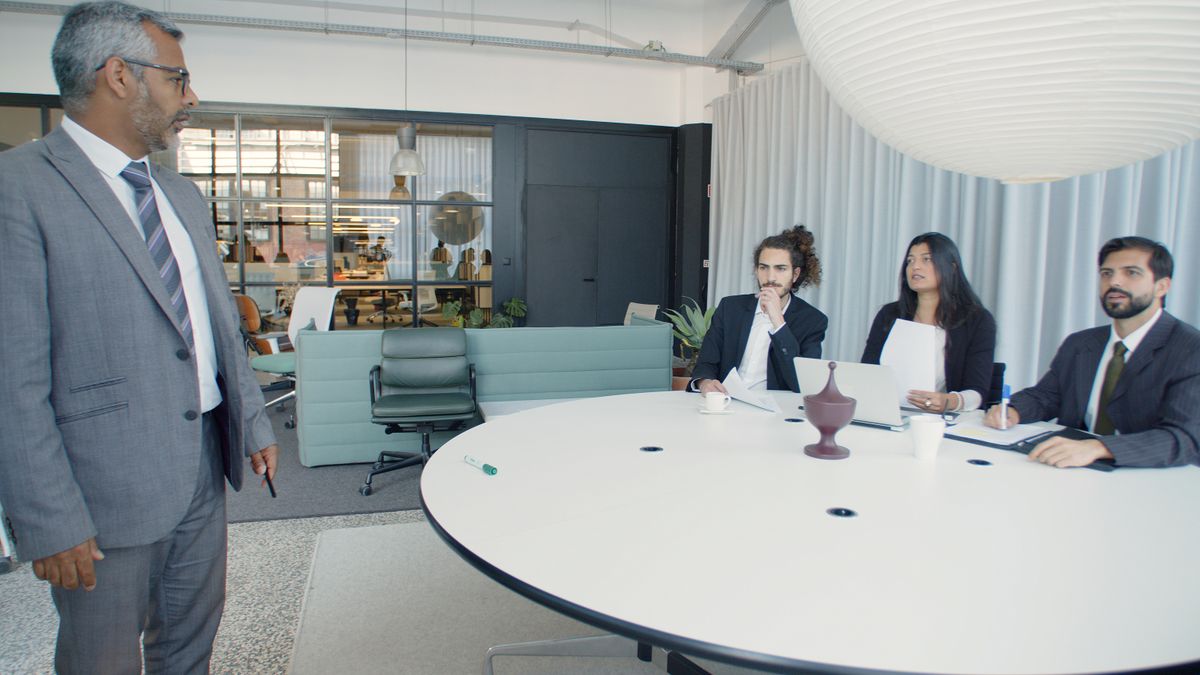
The room is part of the pitch. Before you've said a word, the client has already read the space for signals of competence and care.
The Psychology of the Consultation Space
Prospective clients arrive at your office in a state of stress. They're facing a legal problem — a divorce, a criminal charge, a business dispute, a financial question they can't answer themselves. They're about to share personal, sometimes embarrassing details with a stranger. The environment where that conversation happens either increases or decreases their anxiety.
What increases anxiety:
- A cold, sterile room with nothing on the walls and harsh overhead lighting (feels institutional, like a government office or hospital)
- A cluttered, disorganized room with papers stacked on surfaces and cables running across the floor (suggests the attorney is overwhelmed)
- A room that's too formal or intimidating — dark wood paneling, an oversized table, and the attorney seated behind a commanding position (creates a power imbalance that makes clients reluctant to open up)
- Poor acoustics where voices echo or outside noise intrudes (the client wonders who else can hear their conversation)
- Visible personal items that belong to someone else, indicating the room serves multiple purposes and the meeting isn't particularly important
What decreases anxiety:
- Warm, consistent lighting that's bright enough to read but not harsh
- A clean, organized space with intentional decor that suggests permanence and attention to detail
- Comfortable seating arranged so the attorney and client are on equal footing (not across a barrier)
- Quiet — no audible conversations from other rooms, no street noise, no HVAC rumble
- Small touches that signal hospitality: water, coffee, a notepad and pen at each seat
The goal is a room that says "I take this seriously, and I'm prepared for your visit." That message starts working the moment the client walks through the door.
Essential Furniture and Layout
The Table
A conference table for a solo or small firm practice should comfortably seat four to six people. This accommodates the standard consultation scenario (attorney and client, plus perhaps a spouse, business partner, or second attorney) while also serving for small depositions or multi-party meetings.
Shape matters. Rectangular tables create a natural "head of the table" dynamic that can feel adversarial. Oval tables soften this effect. Round tables eliminate positional hierarchy entirely and work well for consultation-focused practices. For a solo practitioner's conference room, a round or oval table seating four to six is often ideal.
Size guidelines: Allow approximately 30 inches of table width per person. A table for six should be approximately 72-84 inches long (for rectangular) or 54-60 inches in diameter (for round). Leave at least 36 inches between the table edge and the wall for comfortable chair movement.
Surface material: A clean, scratch-resistant surface in a warm tone. Solid wood is traditional but expensive and requires maintenance. High-pressure laminate in a wood-grain finish is durable, affordable, and indistinguishable from solid wood in a normal meeting context. Glass looks modern but shows fingerprints, creates glare, and makes noise when things are set down — skip it.
Seating
Conference chairs should be comfortable enough for a 90-minute meeting (the length of a typical initial consultation), look professional, and be easy to maintain.
For a conference room used primarily for client meetings, mid-back chairs with padded seats and armrests are the standard. Full executive chairs (high-back, heavy) are unnecessary and make the room feel crowded. Simple task chairs (no arms, minimal padding) are too casual and signal "budget."
Chairs should roll and swivel — clients need to adjust their position, and a chair that scrapes across the floor when moved is disruptive. If you have hard floors, use chair mats or casters rated for hard surfaces.
All chairs in the room should match. Mismatched chairs look improvised.
Layout Principles
The attorney's position: Sit adjacent to the client rather than directly across from them when possible. A 90-degree angle (adjacent sides of a rectangular table, or side-by-side at a round table) reduces the confrontational dynamic and makes document sharing easier. If you need to review a screen together, sitting on the same side of the table is practical.
The power position myth: Traditional advice says the attorney should sit at the head of the table to establish authority. For consultation meetings, this is counterproductive. You want the client to feel comfortable enough to share sensitive information, not to feel like they're reporting to an authority figure. Save the head-of-table position for depositions or adversarial meetings where power dynamics serve a purpose.
Client-facing materials: Place a notepad and pen at each seat before the client arrives. This signals preparation and invites the client to take notes (which helps with retention and reduces follow-up questions). A branded notepad, even a simple one with your firm name, adds a professional touch without being ostentatious.
Lighting That Works for Meetings and Video
Lighting in the conference room serves double duty: it needs to work for in-person meetings and for video calls (hybrid meetings are now standard, and depositions increasingly happen over video).
Overhead lighting: Avoid exposed fluorescent tubes. They cast harsh, unflattering light and create an institutional atmosphere. LED panel lights with a warm color temperature (3000K-3500K) or frosted/diffused fixtures provide even, comfortable illumination. Dimmable overhead lights let you adjust for different uses — brighter for document review, softer for conversation. The law office lighting guide goes deeper on fixtures and color temperature room by room.
Supplemental lighting: A floor lamp or wall sconces add warmth and reduce the "office" feeling. If the room has a window, use it — natural light is the best light for both ambiance and video quality. Position the table so that the primary video camera position faces toward the window, not away from it (to avoid the backlight silhouette problem).
Video call considerations: For hybrid meetings where participants are on screen, lighting should be consistent and sufficient. Avoid mixed lighting sources (half fluorescent, half natural) that create uneven illumination. If your conference room is used regularly for video depositions or court appearances, consider a dedicated video light — a small LED panel mounted above or beside the camera position.
Technology: The Minimum and the Ideal
The Minimum Setup
A display screen for sharing documents, presentations, or video calls. A 55-65 inch wall-mounted display is sufficient for a 4-6 person conference room. Position it so every seat has a clear view. Use a basic HDMI cable or wireless display adapter for screen sharing from a laptop.
A speakerphone for audio conference calls. A quality tabletop conference phone or a Bluetooth speakerphone with omnidirectional microphones covers a small conference room adequately. Test from every seat position to ensure everyone can be heard clearly.
Power access at the table — at minimum, a power strip accessible to clients so they can charge their phone or connect a laptop. Built-in table outlets or a table-top power module is a cleaner solution.
Wi-Fi access — provide a guest Wi-Fi network name and password. Post it visibly in the room or include it on a printed card at each seat. This should be a separate network from your office network (your tech stack should already include network segmentation).
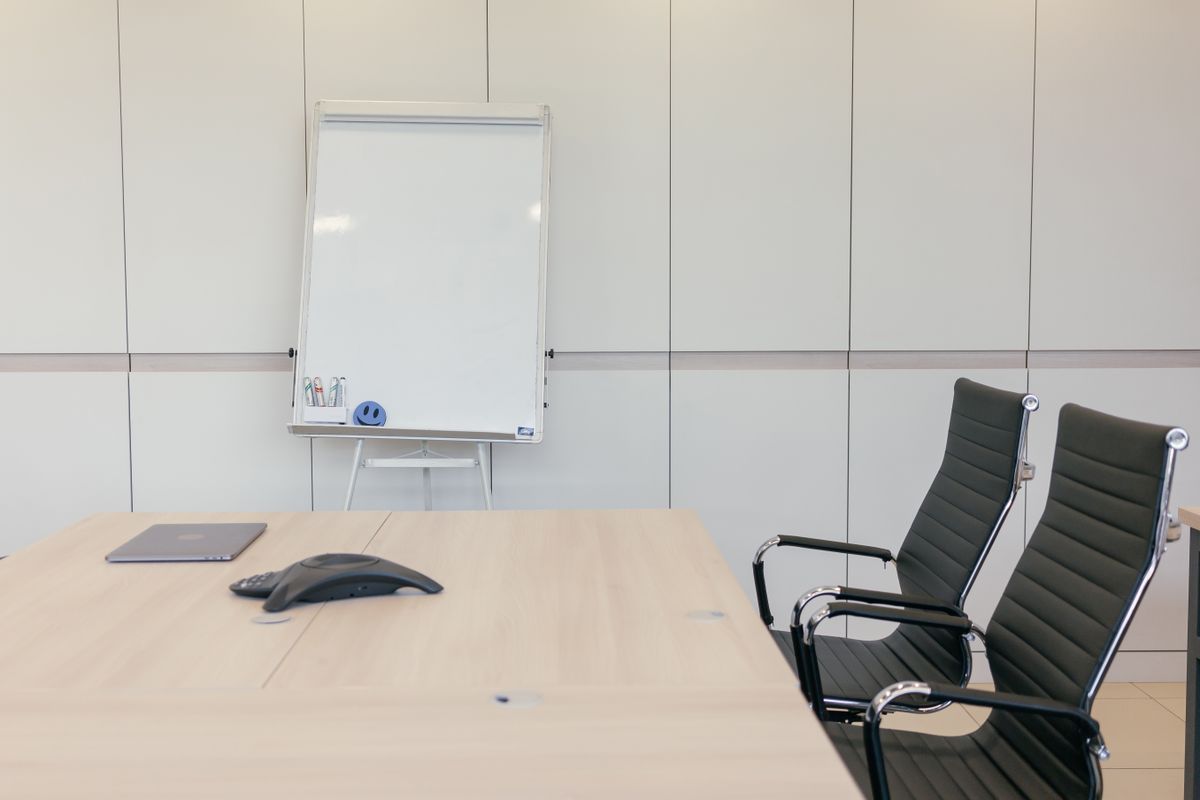
The minimum setup done well: a clean table, matching chairs, a speakerphone, and a whiteboard. Nothing here is expensive — it's just prepared.
The Ideal Setup
A video conferencing system — an integrated camera, microphone, and speaker system designed for conference rooms. These provide better audio and video quality than a laptop's built-in hardware. They typically connect to your video platform (Zoom, Teams, Google Meet) with a single click from a tablet controller.
A wall-mounted whiteboard or writable surface for diagramming issues, mapping timelines, or explaining legal concepts visually. This is particularly useful in business litigation, estate planning, and any practice area where visual explanation helps. A glass whiteboard is easier to clean than a traditional whiteboard and looks more professional.
A document camera for displaying physical documents on screen during meetings. Useful for reviewing original documents, signed contracts, or evidence with clients or during depositions.
Cable management — every cable should be concealed. A cable tray under the table, cord covers along the wall, and built-in table connections eliminate the visible cable problem. Nothing undermines a professional conference room faster than a tangle of cords.
Soundproofing: Not Optional When Privilege Is at Stake
Attorney-client privilege requires confidentiality. If conversations in your law office conference room can be heard from the hallway, the reception area, or an adjacent office, you have a privilege problem — not just an aesthetic one.
Assess your current situation first. Close the conference room door. Have someone speak at normal conversational volume inside the room while you stand outside. Can you hear distinct words? If yes, you need soundproofing — and the law office soundproofing guide covers the full range of fixes, from door seals to wall treatments, in more depth than the summary below.
Cost-Effective Soundproofing Solutions
Door seal kit: Most sound leaks through gaps around the door. A door seal kit (weatherstripping for the sides and top, a door sweep for the bottom) costs under $50 and blocks a significant amount of sound. This is the highest-return soundproofing investment.
Acoustic panels: Fabric-wrapped acoustic panels mounted on walls absorb sound and reduce echo within the room (which also improves audio quality for phone and video calls). They come in professional colors that integrate with office decor. Four to six panels in a standard conference room make a noticeable difference.
Carpet or area rug: Hard floors reflect sound. A carpet or area rug under the conference table dampens sound transmission both within the room and to floors below.
White noise machine: A small white noise generator outside the conference room door masks conversation from the hallway. This is the cheapest and most immediately effective option for preventing eavesdropping, even if it doesn't improve acoustics inside the room.
Solid-core door: If your conference room has a hollow-core interior door (most do), replacing it with a solid-core door significantly reduces sound transmission. This is a more involved upgrade but makes a permanent difference.
For new construction or renovation: Specify double drywall with Green Glue compound between layers, insulation in wall cavities, and a solid-core door with commercial-grade seals. These are standard in environments where sound isolation matters (recording studios, therapy offices) and are straightforward for any contractor to implement.
The Intake Consultation Flow: How Room Layout Supports the Conversation
The initial consultation follows a predictable structure. Your conference room layout should support each phase.
Phase 1: Arrival and Settling (5 minutes)
The client enters, chooses a seat, and gets oriented. Water and coffee should already be available — don't make the client ask. A notepad and pen at their seat signals they're expected and welcome. If you have a brief intake form for them to complete, this is when they do it.
Room layout support: Refreshment station (a small table or credenza with water, cups, and coffee) should be accessible without the client needing to ask. Their seat should be obvious — if the room seats six but the meeting is two, set up two seats with notepads and leave the others pushed in.
Phase 2: Building Rapport (5-10 minutes)
You establish the relationship. The client needs to trust you enough to share uncomfortable details. The environment should be warm, not clinical.
Room layout support: Seating at a 90-degree angle rather than directly across facilitates conversation. Lighting should be warm. The room should be quiet — any ambient noise (HVAC, hallway conversation) becomes distracting during the rapport-building phase because neither party is deeply engaged in substance yet.
Phase 3: Information Gathering (20-40 minutes)
The client tells you their story. You ask questions, take notes, and begin to understand the legal issues. This is the longest phase and requires sustained attention from both parties.
Room layout support: Comfortable chairs matter here — if the client is shifting uncomfortably after 15 minutes, their attention fades. The table surface should be large enough for both parties to have documents spread out. If you're sharing a screen to review documents, the display should be visible from both positions without craning or repositioning.
Phase 4: Assessment and Recommendation (10-20 minutes)
You explain the legal landscape, the options, the likely outcomes, and your recommended approach. The client needs to understand and trust your analysis.
Room layout support: This is where a whiteboard or display screen becomes useful for diagramming timelines, explaining processes, or showing relevant information. The ability to stand up, walk to a whiteboard, and map out the situation visually makes complex legal concepts more accessible.
Phase 5: Closing and Next Steps (5-10 minutes)
The client decides whether to retain you. You discuss fees, the engagement letter, and what happens next. If you have the retainer agreement ready, they sign it here.
Room layout support: A printer in or near the conference room (or documents pre-printed and ready) eliminates the awkward "let me go to my office and print this" break that disrupts momentum. A pen at each seat means the client doesn't have to search for one. The signing of the engagement letter should feel smooth and prepared, not improvised.
Budget Builds: Three Tiers
The $1,000 Setup: Functional
| Item | Budget | Notes |
|---|---|---|
| Table (seats 4-6) | $300-400 | Laminate, rectangular or oval |
| Chairs (4-6) | $400-500 | Mid-back, padded, rolling |
| Speakerphone | $80-120 | Bluetooth tabletop speakerphone |
| Notepads, pens, water carafe | $30-50 | Replaced as needed |
| Door seal kit | $30-50 | Weatherstripping and door sweep |
This gets you a functional, clean meeting space. It won't impress anyone with its design, but it won't undermine your credibility either. The key is keeping it clean and organized.
The $3,000 Setup: Professional
| Item | Budget | Notes |
|---|---|---|
| Table (seats 4-6) | $500-800 | Quality laminate or wood veneer, oval or round |
| Chairs (4-6) | $600-900 | Comfortable, coordinated, professional |
| Wall-mounted display (55") | $400-600 | For screen sharing and video calls |
| Speakerphone/video bar | $200-350 | Integrated camera/speaker for video meetings |
| Acoustic panels (4-6) | $200-300 | Professional fabric-wrapped panels |
| Lighting upgrade | $150-250 | LED overhead (if needed) plus supplemental lamp |
| Whiteboard | $100-200 | Glass or magnetic |
| Accessories | $100-200 | Power access at table, cable management, notepads, refreshment setup |
This is the recommended level for most solo and small firm practitioners. The technology supports hybrid meetings, the acoustics are addressed, and the room feels intentional and professional.
The $5,000 Setup: Polished
| Item | Budget | Notes |
|---|---|---|
| Table (seats 6) | $800-1,200 | Solid wood or premium veneer with built-in power/data |
| Chairs (6) | $1,000-1,500 | High-quality, leather or premium fabric |
| Video conferencing system | $600-1,000 | Integrated room system with camera, mics, and speakers |
| Display (65") | $500-800 | Large format for presentations and video |
| Acoustic treatment | $300-500 | Panels plus solid-core door or additional soundproofing |
| Lighting package | $300-400 | Dimmable overhead, accent lighting, natural light optimization |
| Whiteboard/writable wall | $200-300 | Glass whiteboard or whiteboard paint on one wall |
| Furnishings and decor | $300-500 | Credenza for refreshments, rug, wall art, branded items |
At this level, the conference room makes a strong impression. Clients walk in and feel they've hired a serious, established firm. The technology supports any meeting format — in-person, hybrid, or fully virtual.
Common Mistakes That Undermine Your Conference Room
Too formal and intimidating. A conference room that looks like a courtroom puts clients on edge. You're not trying to impress them with authority — you're trying to make them comfortable enough to trust you with their problem. Dark, heavy furniture and a long rectangular table with the attorney at the head creates unnecessary distance.
Too casual. The opposite problem. A folding table and plastic chairs, or a room that doubles as a break room, signals that client meetings aren't important to you. The room doesn't need to be expensive, but it needs to be intentional.
Poor acoustics. Echo makes conversation tiring. Sound leakage creates privilege concerns. If the conference room shares a wall with the reception area, clients in the waiting room can hear conversations. This is a solvable problem — address it.
No refreshments. Water, at minimum. Coffee if possible. Offering someone a glass of water is a basic hospitality gesture that sets a welcoming tone. Having to go find water because you didn't prepare signals lack of attention to detail.
Unprepared room. If a client walks into a conference room and has to wait while you clear files from a previous meeting, find chairs, or search for a working marker for the whiteboard, you've already lost ground. The room should be reset to "ready" after every meeting. Notepads at seats, whiteboard erased, surface clear, refreshments available.
No power for client devices. Clients bring phones and sometimes laptops. A dead phone creates anxiety. Accessible power at or near the table is a small detail that clients notice when they need it.
Your Conference Room Readiness Checklist
Run through this before every client meeting:
- Table surface clean and clear
- Notepad and pen at each seat being used
- Water and cups available (coffee if offered)
- Room temperature comfortable
- Lighting set appropriately (warm, adequate, no harsh overhead)
- Whiteboard clean, markers present and working
- Display screen on and connected (if using for the meeting)
- Speakerphone or video system tested (if needed)
- Engagement letter or relevant documents printed and ready
- Door closed, white noise on (if applicable)
- Phone on silent
- Room free of files or materials from other matters
A conference room that's consistently prepared communicates one thing above all else: this attorney pays attention to details. For a prospective client who's about to trust you with their legal matter, that message is worth more than any piece of furniture in the room.
Frequently Asked Questions
What should a law firm conference room include?+
At minimum: a table and comfortable seating sized to the room, even and flattering lighting (which now doubles as video-call lighting), soundproofing to protect privileged conversations, and simple, reliable technology for screen-sharing. The room's job is to make a prospective client feel confident about hiring you, so it should read as professional and considered rather than expensive — clutter, mismatched chairs, and visible cables undermine that impression more than a modest budget does.
Is soundproofing really necessary in a law firm conference room?+
It is not optional when attorney-client privilege is at stake. Consultations routinely cover sensitive facts, and a room where conversations carry into a hallway or the next office is both a professional and an ethical liability. Practical steps include a solid-core door with a proper seal, acoustic panels or soft furnishings to absorb sound, and attention to shared walls and return-air vents that let conversation travel between rooms.
How much does it cost to set up a law firm conference room?+
It scales widely with the space and finish. A functional room can be built on a modest budget with a quality table, good chairs, proper lighting, and basic soundproofing, while a premium build adds better materials, integrated video technology, and designer furniture. The more useful way to think about it is in tiers: start with the elements that affect how a client perceives your competence — seating, lighting, and soundproofing — and add the higher-end technology and finishes as budget allows.
How does conference room layout affect a client consultation?+
Where people sit shapes the conversation. Sitting across a wide table can feel adversarial, while a corner seating arrangement or a round table puts the attorney and client on the same side of the problem, which supports the trust-building an intake consultation depends on. A layout that lets you comfortably share a screen or document with the client also keeps the meeting collaborative rather than one-sided.
Written by the ModernLawOffice Team under our editorial standards. This guide is practice-management information, not legal advice. Check the rules in your jurisdiction with your state bar. Spotted an error? Tell us.